

Supplier invoice approval is the process your business uses to check and authorise supplier invoices before any money leaves the bank. It sounds administrative, but it is actually one of the clearest control points between messy day-to-day operations and disciplined finance, and getting it right gives you better cash visibility, fewer surprises, and far less chasing.
What Supplier Invoice Approval Means in Practice
In plain English, supplier invoice approval is how you make sure a bill from a supplier is real, accurate, expected, and signed off by the right person before it gets paid. That is the heart of it.
The reason it matters is simple: invoices arrive because someone in the business bought something, received something, or agreed to a service. Finance should not be left guessing whether that spend was valid. Approval is the step that connects the invoice to the real-world decision behind it.
Done properly, this is not just an accounts payable admin task. It protects your cash, keeps supplier relationships healthy, and gives you a cleaner view of liabilities as your business grows. It also stops the classic problem where operations assumes finance is “sorting it”, while finance assumes someone else has checked the detail. That gap is where delays, errors and awkward supplier calls tend to appear.
The difference between invoice receipt, approval and payment
These stages are often blurred together, but they are not the same.
Receipt is simply getting the invoice into your system. That might mean an email attachment, a PDF upload, a supplier portal submission or a structured e-invoice. Approval comes later. It is the control point where the invoice is checked, matched and reviewed by the person or people with authority to say, “Yes, this should be paid.” Payment is the final stage, when the approved invoice is scheduled and settled according to agreed terms.
That middle step matters more than many businesses realise. As SAP Concur put it, the era of just getting invoices approved is officially over. Approval now sits inside a wider, connected accounts payable process, which means you need it to work smoothly with purchasing, accounting, treasury and payments, not in isolation.
How the Supplier Invoice Approval Process Works Step by Step
At a high level, the workflow is straightforward: receive the invoice, check the details, match it to what was ordered, send it to the right person, deal with any issues, then post and pay it. In practice, the difference between a smooth process and a painful one comes down to how consistent those steps are.
Step 1: Receive and capture the invoice
Invoices arrive in all sorts of ways: shared inboxes, individual email accounts, supplier portals, PDFs, paper scans, and increasingly through e-invoicing channels. If they land all over the business, they get lost all over the business too.
Centralising receipt is the first win. Instead of invoices disappearing into Dave’s inbox while Dave is on annual leave, they come into one controlled place. That gives finance and operations a single starting point and a clear record of what has arrived. It also makes automation possible, because software works far better when documents enter through a consistent route.
Step 2: Validate the supplier and invoice details
Before anyone approves anything, the invoice details need to be checked. Is the supplier legitimate and on your approved list? Is the invoice number unique? Are the dates sensible? Is the VAT treatment correct? Is anything missing?
These are not fussy accounting exercises. They stop duplicate payments, mis-postings, and awkward corrections later. Modern systems can help here because supplier invoices can be validated against approved vendor lists, purchase orders, goods received notes and VAT calculations before approval. That reduces manual review and gives your team fewer fires to put out.
Step 3: Match the invoice to the purchase order and goods received
This is where matching comes in. Two-way matching usually means comparing the invoice to the purchase order. Three-way matching adds a goods received note or receipt confirmation, so you can confirm the goods or services actually turned up.
Think of it as checking a restaurant bill against what you ordered and what actually landed on the table. If you ordered three items and received two, you do not just shrug and pay. Business invoices deserve the same level of common sense, just with better paperwork.
For many businesses, this is the point where approval stops being blind trust and becomes controlled spending. If the numbers and quantities line up, approval is easy. If they do not, the invoice should be queried before payment.
Step 4: Route the invoice to the right approver
Once the invoice is validated and, where relevant, matched, it needs to go to the right person. That could be a department head, project manager, budget owner or senior finance signatory, depending on the value and type of spend.
Good routing rules save a shocking amount of time. Rather than finance emailing half the company and hoping someone recognises the invoice, modern approval workflows can route supplier invoices based on amount, department, project, supplier type, budget availability and cost code. If an approver is away or has left the business, the system can escalate or reassign automatically. That is not fancy. It is just sane.
If you are mapping approvals more broadly, the same logic applies to spend before the invoice stage too. A well-designed sign-off flow for purchase decisions makes invoice approval easier because the business has already agreed who owns the spend.
Step 5: Approve, query or reject
At this point, the approver reviews the invoice and makes a decision. There are usually three outcomes.
They approve it because everything looks correct. They query it because something needs clarification, maybe the price is different from expected or the delivery was incomplete. Or they reject it because it should not be paid at all.
A good process does not treat all invoices like a drama. Straightforward invoices should move quickly. Questionable ones should be escalated cleanly, with comments and supporting documents attached. That way finance is not stuck acting as detective, messenger and therapist all at once.
Step 6: Post the invoice and schedule payment
After approval, the invoice is coded to the right account or cost centre, posted into your accounting or ERP system, and scheduled for payment based on agreed terms. This is where approval turns into financial reality.
When that handoff is smooth, you get better visibility of committed spend and upcoming cash requirements. That matters because AP data is no longer just transactional. SAP Concur notes that AP data can be turned into high-accuracy cash flow forecasting, which is exactly why timely approval matters. If invoices sit unapproved for days, your forecast is wrong before it starts.
For businesses using Xero, the catch is that standard tools often need support around workflow, control and payment execution. That is why many teams look beyond the base setup and focus on where payables controls start to get thin in Xero.

Where Manual Approval Processes Usually Break Down
Manual supplier invoice approval rarely fails in one dramatic moment. It breaks down quietly, in little ways that stack up.
An invoice sits in an inbox. A manager forgets to approve it. Finance chases. Someone replies, “I thought that had already been done.” Another invoice is entered twice because it arrived from two different places. Meanwhile the supplier is calling, your month-end is getting messier, and no one is completely sure what is ready to pay.
This is why inbox-based approval does not scale. It depends on memory, goodwill and heroic follow-up. Those are not controls.
The hidden cost of chasing approvals
Chasing approvals feels like a small nuisance until you add it up. Research shows manual supplier invoice processing typically costs between £12 and £30 per invoice, and manual handling can take eight to ten days on average to move an invoice from receipt to payment. That is a lot of admin for something that should be routine.
The real cost is not just the processing spend. It is the interruption cost. Your finance team spends time chasing, managers get dragged into low-value reminders, suppliers lose patience, and leadership gets weaker visibility into liabilities. In other words, the business pays twice: once in admin and again in distraction.
Why partial automation still creates bottlenecks
Here is where many teams get caught out. They buy an OCR tool, invoices are scanned automatically, and everyone assumes the problem is solved. It is not.
OCR captures data. Approval workflow controls what happens next. Those are different things. Rossum found that 54.2% of finance teams are still only partially automated, often relying on inconsistent capture tools plus manual intervention. That is why bottlenecks remain. Finance still has to review, route, chase and fix exceptions by hand.
If you are assessing tools, it helps to look beyond scanning and ask what actually improves control, routing and visibility in practice. That is the difference between basic capture and approval tools that genuinely remove friction.
Why Supplier Invoice Approval Matters More Than It Looks
Supplier invoice approval is often treated as back-office plumbing. In reality, it shapes how confidently you can run the business.
A clean approval process gives you better control over spend, better information for planning, and better discipline around who is allowed to commit company money. It also gives operations and finance a shared language. Instead of arguing over missing paperwork at month-end, both sides can see what has arrived, what is approved, what is disputed and what is ready to pay.
Better cash-flow control and fewer surprises
Cash-flow control improves when invoices are approved on time, because you can see real liabilities earlier and plan payments properly. Late approvals distort your short-term cash position, make forecasting weaker and increase the chance of rushed payment runs.
That matters even more now that connected finance is becoming the norm. Research shows AP and treasury visibility are increasingly expected to work together, not separately, and nearly 1,500 CFOs and Treasurers in the Visa-PYMNTS study reported average savings of $19 million from working capital strategies and AI-enabled supplier decisions. The message is clear: approval data is useful far beyond the AP desk.
There is also a practical upside. Businesses processing invoices manually often miss discounts because approvals take too long. Some organisations lose 1 to 2% early payment discounts when supplier invoices are handled manually, which can add up quickly.
Stronger supplier relationships and more negotiating power
Suppliers care about one thing more than your internal workflow: getting paid correctly and on time. If your approval process is slow or inconsistent, suppliers notice.
Fast, predictable approval reduces disputes and stops the awkward “We sent that three weeks ago” conversation. It also improves your credibility when negotiating prices, service levels or priority supply. If you are known for being organised and reliable, suppliers are more likely to work with you when timing matters.
This is one reason AP is increasingly seen as strategic. SAP Concur describes the modern AP team as a powerhouse of intelligence that affects supplier health and strategic risk. That sounds lofty, but honestly it is just the grown-up version of paying attention.
Cleaner audit trails, stronger compliance and less fraud risk
Approval history matters. You need to know who approved an invoice, when they approved it, what documents supported the decision, and what changed along the way.
That gives you cleaner audits, more consistent policy enforcement and better fraud prevention. It also helps when something goes wrong. Rather than searching old emails and trying to reconstruct a decision, you have a visible trail.
And fraud is not theoretical. Ramp reports that its AP fraud detection identified more than $5 million in fraud before invoices were sent off for approval. That is exactly why good controls should catch suspicious invoices before they sail through to payment.

What Good Approval Rules Look Like as You Grow
The best approval workflow is not the most complicated one. It is the one that matches your business size, spend patterns and risk level without slowing everything down.
For start-ups: keep it simple and visible
If your business is small, resist the urge to build a mini bureaucracy. Start with central invoice receipt, clear ownership, and a few sensible thresholds. For example, low-value recurring invoices might go to one operational owner, while higher-value or unusual spend goes to a founder or finance lead.
Visibility matters more than elegance at this stage. You want everyone to know where invoices arrive, who signs them off, and what is waiting. That keeps you nimble without losing control as volumes increase.
For growing businesses: build rules that remove finance from the chasing loop
As your team expands, ad hoc approvals stop working. You need an approval matrix based on department, value, project or supplier category, plus reminders and escalation rules.
Wise gives a practical example: auto-approving invoices under £1,000, routing high-value invoices to a CFO, and sending department-specific invoices to the relevant lead. It also points to SLAs where approvers respond within two days and AP resolves exceptions within three. That is the right mindset. Finance should manage controls, not spend half the week nudging colleagues.
For Xero-based teams, this is often the point where native workflows start feeling too light. Many businesses add specialist layers so they can centralise approvals, review unpaid bills, prepare payment runs and keep a clearer audit history around what happened and why.
For more complex organisations: scale with controls, not bureaucracy
Once you are managing multiple entities, larger budgets or stricter compliance requirements, your approval rules need more structure. Delegated authority, segregation of duties, multi-entity routing, and integration with procurement, ERP and payments become much more important.
But more control does not have to mean more admin. In fact, it should mean less. The goal is to scale without hiring endlessly into processing work. The strongest systems are connected, rules-driven and transparent, so your team only steps in where judgement is genuinely needed.
How Automation Improves Every Stage of Approval
Automation improves supplier invoice approval by taking repetitive, rules-based work off people’s plates while making the process more visible and consistent. That is the real value. Not shiny software screens, just fewer loose ends.
Modern AP tools can centralise invoice capture, extract data, validate fields, match to POs, route to approvers, send reminders, post approved invoices into the accounting system and flag exceptions. Ramp notes that automation can route invoices automatically and give teams real-time dashboards and alerts to see where a supplier invoice sits. That means fewer mystery delays and less manual chasing.
What can be automated and what still needs human judgement
Capture, matching, routing, duplicate checks, reminders and posting are all good candidates for automation. They are repetitive, rules-based and easy to standardise.
Human judgement still matters for disputes, unusual spend, supplier conflicts, pricing discrepancies and policy exceptions. That is how it should be. You do not want software pretending every decision is obvious. You want software handling the predictable work so your people can focus on what actually needs thinking through.
This is also where connected tools matter. If your system can pull unpaid bills from Xero, route them for review, and feed approved invoices into payment preparation with a full history attached, you close the gap between accounting data and operational decision-making. That is where platforms like insightFlow add value, especially for businesses that have outgrown a basic bookkeeping workflow but do not want finance operations held together by spreadsheets and memory.
Where AI adds value without becoming a black box
AI is useful in AP when it improves capture quality, spots anomalies and helps teams prioritise exceptions. It is not useful when it makes decisions no one can explain.
There are sensible use cases already working well. AI-powered data extraction can reach 98 to 99% accuracy, while suspicious transactions can be flagged before they move further into the workflow. AI can also identify invoices that are likely to be straightforward and separate them from ones that need closer review.
That said, finance leaders care deeply about explainability. Rossum found that 35.8% of respondents only trust AP systems if they reliably flag all exceptions while standard invoices pass straight through. That is the right test. AI should support your team, not behave like an overconfident mystery box.
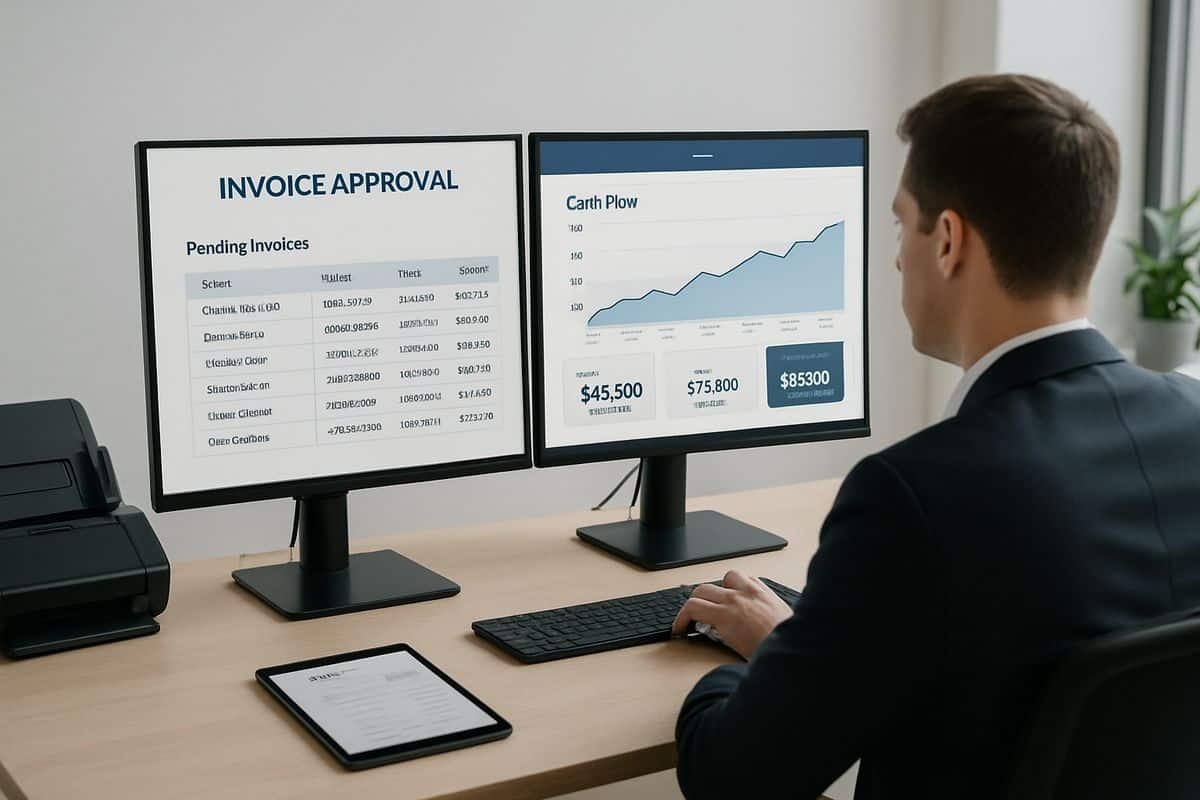
The Results You Can Expect From a Better Approval Process
A better approval process does not just make AP tidier. It creates time, confidence and room to grow.
Faster processing, lower costs and fewer errors
The numbers here are hard to ignore. Research shows invoice approval and payment cycles can fall from 7 to 10 days to 1 to 2 days, or even hours for straightforward invoices when AP automation is in place. Wise also reports that automation can cut processing costs by up to 80% and reduce cycle times from 15 days to 4 days.
For small and mid-sized businesses, the productivity gain is especially clear. Ramp says automation can reduce AP task time by 70% to 80%, which frees your team to focus on supplier relationships, cash planning and decision support instead of routine processing.
And accuracy matters just as much as speed. Rossum found that 61.6% of finance leaders now prioritise accuracy over speed in automation. That feels right. Fast mistakes are still mistakes.
More peace of mind for owners, CFOs and operational leaders
The real payoff is calmer control.
You know where every invoice sits, who needs to act, and what is ready to pay. You are not relying on someone remembering an email from last Thursday. You are not finding out about overdue approvals from an irritated supplier. You can see the queue, manage exceptions, and trust the process.
That peace of mind is worth more than it sounds. It is what lets owners focus on growth, CFOs focus on strategy, and operational leaders focus on delivery instead of chasing paper around the business.
Common Questions About Supplier Invoice Approval
Who should approve supplier invoices?
The right approver is usually the person responsible for the spend, the budget, or confirming that the goods or service were received as expected. Finance should own the control framework, not every spending decision. In practice, that means department heads, project owners or budget holders approve the invoice, while finance checks policy, coding and payment readiness.
How long should invoice approval take?
Straightforward invoices should move in hours or a few days, not drift for weeks. A sensible SLA depends on risk and value, but waiting indefinitely is never a policy. For many businesses, low-risk recurring invoices can be approved quickly, while higher-value or disputed invoices may need extra review. The point is to define the timeline clearly and enforce it.
Is invoice approval the same as invoice processing?
No. Approval is one part of invoice processing. The wider process includes receipt, data capture, validation, PO matching, coding, approval, posting and payment. If you want the bigger picture, it helps to understand how the full payables flow fits together, because approval only works properly when the surrounding steps are organised too.
When is it time to automate?
It is time to automate when invoice volumes are rising, approvals are regularly delayed, finance spends too much time chasing, or your visibility is too weak to trust what is ready to pay. It is also time when your current tools stop scaling with the business. Rossum found that 33.3% of finance leaders say their existing tools cannot scale with increasing operational demands, which is usually the warning sign before process pain gets worse.
Can Xero handle supplier invoice approval on its own?
Xero can support basic bill entry and accounting, but many growing businesses find they need more structure around approvals, routing, payment preparation and audit trails. That is where specialist workflow tools come in. If you are reviewing your setup, it is worth seeing which extra capabilities tend to matter most around Xero, especially when finance needs tighter control without adding more manual admin.
Supplier invoice approval works best when it feels almost invisible: invoices arrive in one place, the right people review them quickly, exceptions are handled properly, and payment happens with confidence. That is the kind of process that supports growth, not one that keeps finance stuck in the chasing loop.