
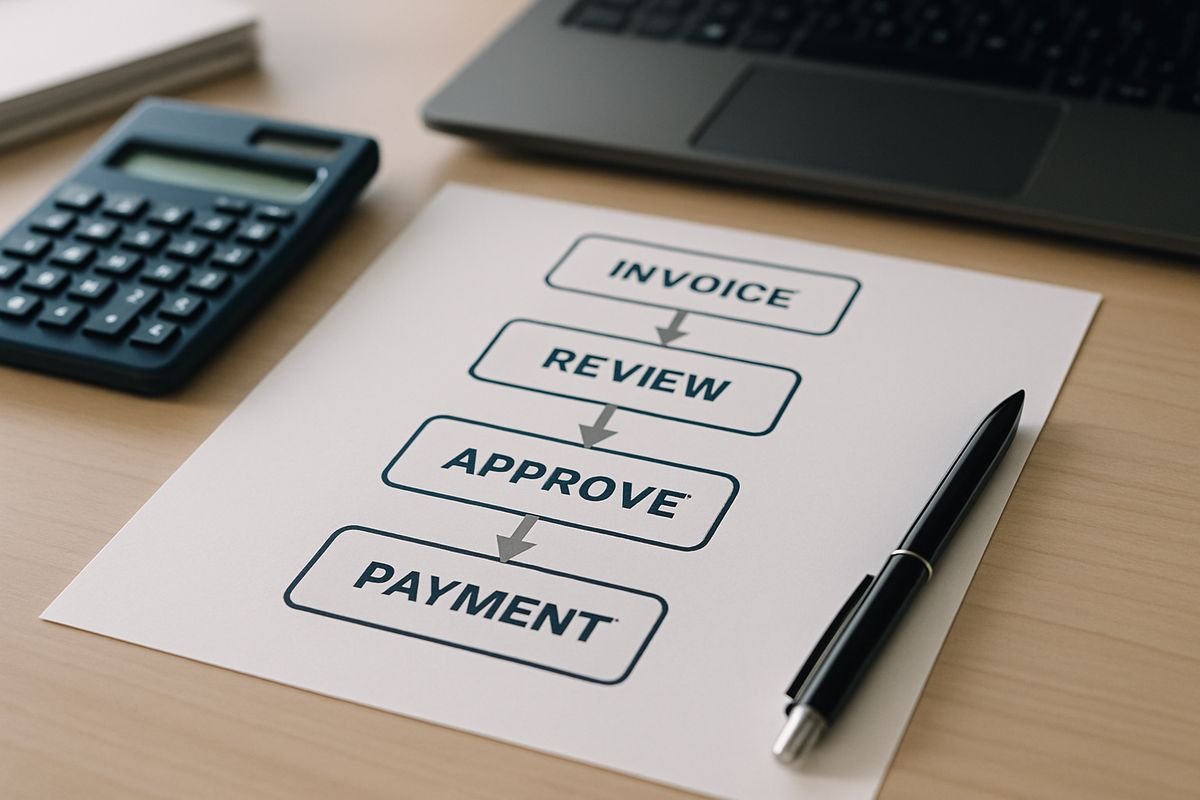
An accounts payable workflow is the step-by-step process your business uses to receive, check, approve, pay, and record supplier invoices. It sounds administrative, but it affects something far more interesting than paperwork: your cash flow, supplier relationships, reporting confidence, and your team’s ability to grow without descending into finance chaos.
What an Accounts Payable Workflow Is and Why It Matters to Your Business
At its simplest, an accounts payable workflow is the route an invoice takes from the moment it arrives to the moment it is paid and recorded properly in your accounts. That includes invoice receipt, validation, coding, approval, payment, reconciliation, and storing a reliable audit trail.
If that feels like back-office housekeeping, think again.
Your AP workflow shapes how quickly suppliers get paid, how accurately liabilities show up in your numbers, and how much time your team wastes chasing approvals, digging through inboxes, or fixing avoidable mistakes. A poor process creates friction across the business. Operations do not know what has been approved. Finance cannot see what is due. Leaders make decisions with incomplete information. And suppliers start sending those familiar “just checking on payment” emails that nobody enjoys.
A strong workflow does the opposite. It gives you control without slowing the business down. It helps you protect cash, reduce noise, and scale with far less drama.
How the Accounts Payable Workflow Works in Practice
Think of AP workflow as the bridge between buying something and properly paying for it. Operations may request goods or services, procurement may place the order, a supplier sends an invoice, and finance makes sure that invoice is valid, approved, paid on time, and reflected correctly in the accounts.
That full flow matters because AP is one of those areas where small cracks spread fast. One missed invoice becomes a late payment. One duplicate entry becomes a duplicate payment. One unclear approval path becomes a two-week bottleneck.
Invoice receipt and capture
Invoices arrive from everywhere: email inboxes, supplier portals, post, PDF attachments, scanned documents, and direct system feeds. If those invoices land in different places, your process is already at risk.
Centralising intake is usually the first big improvement. Instead of invoices sitting in personal inboxes or on someone’s desk, they go into one controlled entry point. That gives you a single source of truth and makes it much harder for invoices to vanish into the void.
It is also why AP intake and invoice capture are often among the first finance workflows teams automate. Remove the scattered intake problem early, and the rest of the process becomes far easier to manage.
Validation, coding, and matching
Once the invoice is in the system, it needs checking. Are the supplier details correct? Has the invoice already been submitted? Does the amount match the purchase order or goods received note? Has the right VAT treatment been applied? Which account or cost centre should it hit?
This step is less about accounting theory and more about preventing expensive nonsense. Nearly 39% of manually processed invoices contain at least one error, which tells you all you need to know about relying on manual keying and good intentions.
For businesses using Xero, this is often where the cracks show. The ledger may do the accounting part perfectly well, but the workflow around review, coding discipline, and control can still feel patchy. That is why many teams end up looking more closely at where the process starts to strain inside Xero-based payables.
Approval routing and payment
After validation comes approval. The invoice needs to reach the right person, not just any person, for sign-off. That may depend on amount, department, supplier, or whether the spend was already pre-approved.
Done well, approval routing feels invisible. Done badly, it becomes a traffic jam made of email chains, Slack messages, and people being on annual leave at precisely the wrong moment.
Research shows that 29% of enterprises require six or more approvals for invoice processing, which can stretch approval cycles to weeks. More approvals do not always mean better control. Often they just mean more delay.
Once approved, payment should be scheduled with intent. That means paying on time, protecting working capital, and taking early-payment discounts when they are genuinely worthwhile. It also means not discovering due invoices at the last second, which is a surprisingly common finance tradition.
Record-keeping, reconciliation, and audit trail
The workflow does not end when the money leaves your bank account. Paid invoices still need to be recorded correctly, matched to the ledger, reconciled to supplier statements, and stored in a way that is easy to retrieve later.
This is the part people ignore until year-end arrives and someone asks for support for a payment made nine months ago.
Clean records give you reporting confidence. They also help you spot cut-off issues, missing accruals, and exceptions before they become a board-level headache. The research is blunt here: weak AR/AP cut-offs are a common source of reporting errors, especially around expense timing.

The Core Steps in a Strong AP Workflow
Most strong AP workflows follow the same basic stages. The difference is how disciplined and visible those stages are.
1. Capture every invoice in one place
Your team should not be hunting through inboxes, shared drives, paper trays, and portal logins just to work out what has arrived. One intake point reduces lost invoices, duplicate processing, and supplier chasing.
It also creates something your finance team will quietly love: certainty.
2. Check the data before it creates problems
Bad data gets more expensive the further it travels. Duplicate invoices, missing PO numbers, incorrect totals, wrong supplier details, and VAT errors should be caught before approval, not after payment.
That matters beyond AP. Manual data entry errors cost businesses an estimated 1 to 3% of annual revenue. That is not a typo, and it is not just an accounting issue. It is margin walking out the door.
3. Route approvals without bottlenecks
Approval rules should reflect real business risk. A low-value recurring invoice should not need the same path as a high-value one-off payment. The aim is controlled routing, not bureaucratic theatre.
If approvals are frequently stuck, it helps to tighten spend rules upstream as well. A cleaner purchase sign-off process before the invoice even arrives often removes friction later in AP.
4. Pay on time and with intent
Strong AP teams do not simply pay bills. They manage timing. They know what is due, what can wait, what qualifies for discounting, and what should be prioritised to keep suppliers happy and operations running smoothly.
This is where AP starts to look strategic rather than clerical.
5. Reconcile and report with confidence
A finished workflow closes the loop. Ledger balances are updated, supplier statements are reconciled, exceptions are tracked, and reporting shows what you owe and where the friction points are.
Without that visibility, AP stays reactive. With it, you can actually manage liabilities rather than merely discovering them.
Why an Efficient AP Workflow Gives You More Than Faster Admin
The biggest benefit of a better AP workflow is not just speed. It is calm.
You get fewer surprises, clearer visibility, and more time for work that actually needs judgement. Your finance team spends less time processing and more time spotting issues, supporting decisions, and helping the business move confidently.
Better cash flow visibility and decision-making
When invoices are captured and tracked properly, you can see what is due now, what is due later, and where liabilities are building up. That makes cash planning sharper and less reliant on educated guessing.
It also helps you avoid the classic problem where invoices appear in a rush right before month-end and suddenly your view of spend changes overnight.
Fewer errors, less fraud risk, stronger controls
Speed without control is not progress. It is just a faster route to mistakes.
That is why many finance leaders are focused more on accuracy than raw speed. In fact, 61.6% of finance leaders say improving financial data accuracy is their main automation objective. Sensible. If your numbers are wrong, faster reporting just means you are wrong more efficiently.
Good workflows also reduce fraud exposure through approval thresholds, validation checks, segregation of duties, and traceable histories. The catch is that automation alone will not save you. Automation without standardisation can simply move errors faster.
Happier suppliers and a calmer finance team
Suppliers care about one thing above all: getting paid accurately and on time. When that happens consistently, relationships improve. So does your reputation.
Internally, the mood changes too. Fewer missing invoices. Fewer emergency chases. Far fewer “Where’s our payment?” emails landing at 4:47 pm on a Friday. Honestly, that alone sells the idea to a lot of teams.
Where Manual AP Workflows Start Holding You Back
Manual processes can work for a while. Then volume increases, more approvers appear, and suddenly a process that was “fine” becomes fragile.
That tipping point often arrives earlier than expected.
Common bottlenecks in manual accounts payable
The usual issues are predictable: invoices trapped in inboxes, manual keying into the ERP, spreadsheet trackers, unclear ownership, duplicate submissions, physical document storage, and no reliable way to see where an invoice is stuck.
These are not edge cases. 68% of AP teams still manually key invoice data into ERP systems, and 54.2% of finance leaders say their finance processes are only partially automated. In other words, many businesses are still living in the awkward middle ground: too much volume for manual work, not enough control for scale.
The real cost of doing it the old way
Manual AP is expensive in ways that do not always show up neatly on a budget line. You pay in headcount pressure, delays, supplier friction, and weak visibility.
You also pay literally. Manual invoice processing costs an average of $12.88 to $19.83 per invoice, compared with $2.36 to $2.78 for AI-automated processing. Processing times tell a similar story: 14.6 days manually versus 3.1 days for best-in-class automated workflows.
That difference is not just about efficiency. It affects your ability to scale without hiring more people to push the same invoices around faster.
Manual vs Automated Accounts Payable Workflow
This is usually the real decision point. Not whether AP matters, but whether your current way of handling it can support the business you are becoming.
What automation changes day to day
Good automation handles repetitive, rules-based work: invoice capture, data extraction, approval routing, reminder emails, duplicate detection, matching, status tracking, and syncing updates back to your finance system.
That frees your team to focus on exceptions, supplier issues, and analysis rather than typing, chasing, and rechecking the same data. It is no surprise that process cycle times typically fall by 30 to 70% after automation, or that workflow automation reduces operational costs by 25 to 50% on average.
For Xero users, the practical question is not just “Can we automate?” but “How do we extend Xero cleanly without creating another disconnected tool?” That is where understanding which integration features actually make payables easier to run becomes far more useful than chasing shiny software demos.
What good automation still needs from you
Software cannot fix a messy approval structure, poor supplier data, or undefined ownership. If your process is unclear, automation simply gives the confusion better branding.
The strongest setups combine workflow technology with clear rules, reliable master data, and strong integration. Tools should support explainable decisions, visible audit trails, and configurable routing. Your team still needs to decide who approves what, when exceptions escalate, and how payments are controlled.
That is why AP automation should be treated as a business-critical project, not a side task.

The Right AP Workflow for Your Stage of Growth
The best AP workflow for your business depends on volume, complexity, and how your teams actually operate. A startup does not need the same setup as a multi-entity group, but both need clarity.
If you are a startup: build control without slowing yourself down
Early on, the main risk is founder dependency. Invoices go to one person, approvals happen informally, and the whole thing works until that person is busy, away, or simply forgets.
A simple workflow solves that. Centralise invoice intake, define approval thresholds, and make sure payment responsibilities are not living entirely in one person’s head. It is not overkill. It is peace of mind.
If you are a growing business: remove bottlenecks before they multiply
Growth adds departments, locations, suppliers, and approvers. Suddenly the finance process that once felt manageable starts to creak.
This is usually the stage where businesses benefit most from clearer routing, stronger visibility, and better approval tooling. If delays are becoming routine, it helps to review the approval features that actually keep invoices moving rather than layering more admin onto the team.
If you are managing a larger or multi-entity operation: standardise for scale
At this stage, AP becomes a consistency problem. Different entities may handle invoices differently, approval chains grow longer, and reporting depends on every location following the same basic rules.
Standardising the workflow gives you cleaner controls, better reporting, and fewer entity-by-entity surprises. It also makes integration with your ERP and banking setup far easier to govern.
Who Owns the AP Workflow and How Finance Connects with Operations
AP should never sit with finance alone in a practical sense, even if finance governs the process. Invoices begin with supplier relationships, operational purchases, goods received, and budget ownership across the business.
If those teams are disconnected, AP slows down.
Roles, responsibilities, and approval accountability
Someone receives the invoice. Someone checks it. Someone confirms the goods or service were received. Someone approves the spend. Someone releases the payment. Someone monitors exceptions and controls.
If any of those roles are vague, invoices stall between teams and accountability disappears. The goal is not more hierarchy. It is clearer hand-offs.
Why AP works best when finance and operations are aligned
Finance needs operational context. Operations need financial discipline. AP is where those two meet.
A good workflow makes that connection visible. Budget holders approve knowingly. Finance sees commitments early. Suppliers get consistent communication. And your reporting reflects what is actually happening in the business, not what happens to have reached the ledger so far.
How to Improve Your Accounts Payable Workflow Without Creating a Bigger Headache
You do not need a dramatic transformation project on day one. In fact, those often fail because they try to fix everything at once.
The smarter move is steadier.
Start with one pain point, pilot, then expand
Begin with the biggest source of friction. That might be one invoice type, one department, or one vendor group. Prove the value, fix the process, then extend it.
That approach is backed by experience and by research, which recommends starting AP automation with a narrow pilot and a dedicated project owner. It reduces risk and gives your team confidence that the change is actually helping.
Track the KPIs that show whether it is working
If you want to know whether your AP workflow is improving, measure it. Look at cost per invoice, processing time, approval cycle time, error rate, exception rate, and on-time payment rate.
That is how leading teams judge success now. 34.2% of finance leaders say they measure automation with operational KPIs such as cost per invoice, processing time, error rates, and exception rates, which is exactly right. If the process feels better but the numbers do not move, something is off.
Choose tools and support that your team will actually trust
Good AP tooling should integrate properly with your finance stack, support configurable approvals, maintain a clear audit trail, and show invoice status without forcing people to dig through screens.
For businesses running Xero, this is where insightFlow can meaningfully expand what your setup can do. Instead of treating Xero as the whole workflow, you can use it as the accounting core while adding stronger control around invoice review, approvals, payment run preparation, bank file export, supplier reconciliation, and audit history. That is often the missing layer between “we have accounting software” and “we have a process we trust”.
The best setups do not just save time. They help you sleep better because you can see exactly what is happening.

Common Questions About Accounts Payable Workflow
Is accounts payable workflow the same as AP automation?
No. The workflow is the process itself, meaning how invoices move from receipt to payment and record-keeping. Automation is the technology that can speed up and standardise parts of that process.
How long should an AP workflow take?
There is no single perfect number, but it should not take weeks for a straightforward invoice to move through the system. Research shows manual invoice processing averages 14.6 days, while automated workflows can reduce that to 3.1 days. The right goal is not theoretical speed, it is removing avoidable delays.
Do smaller businesses really need a formal AP workflow?
Yes. Smaller businesses may have fewer invoices, but they usually have less room for error. A clear intake, approval, and payment process prevents duplicate payments, late payments, and founder-dependent bottlenecks. It also gives you a foundation you can build on as volume grows.
What should you fix first if your AP process feels messy?
Start with visibility. Centralise invoice intake, define approval rules, and reduce manual keying. If nobody can quickly answer where an invoice is, who needs to approve it, and when it will be paid, that is your first problem.
A well-designed accounts payable workflow does more than tidy up finance admin. It gives your business more control, better visibility, and room to grow without adding unnecessary strain. Get the process right early, and everything after that gets easier, including your numbers, your supplier relationships, and your team’s day-to-day sanity.