
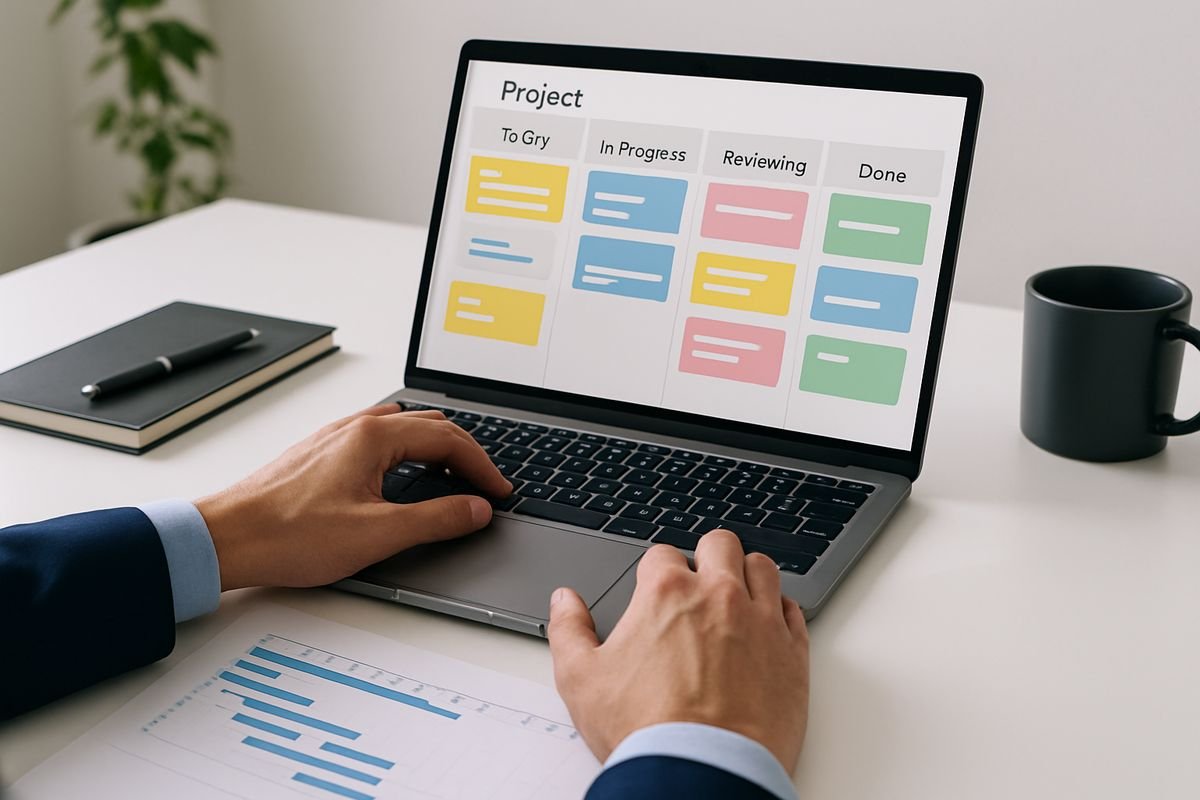
Choosing project management software sounds like an operational decision, but it usually turns into a financial one very quickly. The right project management software gives you clearer delivery, faster decisions, fewer surprises and a much stronger grip on where time, money and effort are actually going.
Why the Right Project Management Software Matters More Than You Think
A lot of businesses buy project management software because work feels messy. Tasks are scattered, updates live in inboxes, people are chasing one another for status, and leadership gets progress reports that are half informed guesses. Fair enough. But that is only the surface problem.
The deeper issue is that weak project management creates drag across the whole business. Deadlines slip. Handoffs fail. Team capacity gets misread. Jobs run over budget before anyone notices. Invoicing is delayed because delivery data is incomplete. Finance can see costs, operations can see activity, but neither side gets the full picture.
That is why the right platform matters more than most buyers expect. Good project management software is not just a digital to-do list. It becomes the place where people, timelines, budgets, ownership and commercial performance start lining up properly. You stop managing work through memory and meetings. You start managing it through visibility.
For small and medium-sized businesses, that shift is often where growth gets easier. Not magically easy, obviously. But easier in the practical sense. Less firefighting. Less duplicated effort. Fewer “who owns this?” moments. More confidence that the work your team is doing is actually moving the business forward.
For CFOs and financial controllers, the benefit is just as real. Once project activity is structured properly, forecasting improves. Work in progress is easier to track. Margin problems show up sooner. Billing gets less chaotic. The distance between what the team is doing and what the numbers are saying gets much shorter.
And yes, simplicity matters here. Plenty of tools promise everything under the sun, then bury your team in setup, admin and features nobody really asked for. In practice, the best system is often the one your team will actually use consistently, especially if it helps connect operational activity with financial outcomes without adding enterprise-level complexity for the sake of it. That is one reason simpler platforms such as Insightflow can be so appealing for growing businesses. You get the visibility you need without turning software selection into a second job.

What Project Management Software Actually Does for Your Business
At its best, project management software gives your business a shared operating picture. It shows what needs doing, who is responsible, when it is due, what depends on what, how work is progressing and where the pressure points are.
That sounds straightforward, and it is. But the impact is bigger than it first appears.
When work is planned clearly, your team spends less time interpreting vague requests and more time delivering. When responsibilities are assigned properly, accountability improves without constant supervision. When timelines are visible, leaders can spot risks before they become expensive. When capacity is tracked, you can make better decisions about hiring, pricing and prioritisation.
In other words, project management software turns work from a series of disconnected actions into something you can direct.
That matters even more when your business is trying to connect accounting with operations. If your finance team is looking at budgets and invoices while your delivery teams are looking at tasks and deadlines in a completely separate system, you get lag, confusion and blind spots. A better setup starts closing that gap.
The business problems it should solve
The first test is simple: does the software solve the problems that are already wasting your time and money?
For most SMBs, those problems are painfully familiar. Deadlines get missed because nobody had a clear view of dependencies. Work gets duplicated because teams are using different trackers. Ownership is fuzzy, so tasks sit still while everyone assumes someone else has it. Reporting takes hours because data is spread across spreadsheets, chats and project notes. Clients ask for updates before your internal team even agrees on the latest status. None of that is unusual. It is just expensive.
The cost is not only financial, though it certainly shows up there. It also drains momentum. Managers spend meetings reconstructing what happened instead of deciding what to do next. Team leads become human workflow engines. Senior people waste time manually stitching together information that software should surface in seconds.
A decent platform should reduce all of that. You should be able to see current work, upcoming deadlines, blockers, workload and progress without detective work. If your weekly status meeting feels like a cold case review, your systems are the problem.
This is also where many businesses realise they have moved beyond lightweight lists and improvised trackers. If that sounds familiar, it is worth reading about the point where simple tracking stops being enough, because the jump from “good enough” to “holding us back” often happens gradually, then all at once.
Where operations and finance should finally meet
Project management software becomes much more valuable when it is not just tracking activity, but informing decisions.
Finance leaders care because projects consume resources, create revenue and affect cash flow. If your delivery system cannot show what has been promised, what is in progress, how much effort is being used and where overruns are emerging, then your forecasts are only partly grounded in reality.
A stronger setup helps in a few practical ways. You can compare budgets to actual delivery more quickly. You can see whether work in progress is likely to bill this month or slip into the next. You can identify teams that are overloaded and likely to miss deadlines. You can spot underused capacity before it quietly damages margins. And you can connect operational delays to financial consequences instead of treating them as separate conversations.
This is where a platform that links finance and operations cleanly starts to stand out. Insightflow, for example, takes a more focused approach than heavier all-in-one systems. It is designed around coordination between finance, accounting and day-to-day business activity, which is exactly the overlap many growing companies struggle to manage. That kind of simplicity is not a compromise. Often, it is the reason adoption actually happens.

Signs You’ve Outgrown Spreadsheets, Email Chains and “Quick Fix” Tools
Most businesses do not wake up one day and decide their systems are broken. They adapt. They patch. They create a tracker for one team, a board for another, a spreadsheet for budgets, and an email chain for approvals. For a while, it works well enough.
Then the cracks start showing.
Project status becomes harder to verify. Different people are working from different versions of the truth. Leaders get updates late. Teams spend more time maintaining the system than benefiting from it. The funny part is that these setups are often defended as “lean”, right up until they create delays, write-offs and a deeply annoying amount of rework.
Red flags that your current setup is costing you money
Some warning signs are obvious. Jobs finish late. Scope expands without any real control. Billing gets delayed because nobody has a reliable record of what was delivered. Staff sit underused in one area while another team burns out. Clients ask for updates and your team scrambles to assemble them manually.
Other signs are subtler, but just as costly. Work in progress is unclear, so cash flow forecasts are shaky. Managers overcommit because capacity is not visible. Project profitability gets reviewed after the damage is done. Decisions rely too heavily on whoever shouts loudest in the meeting rather than on live information.
If that sounds familiar, the cost is probably bigger than the software bill you have been trying to avoid. Cheap tools often become expensive through wasted labour, slower billing and poor resource decisions.
When manual processes stop being “lean” and start being risky
Manual processes usually begin with good intentions. They are flexible, quick to build and cheap on paper. But scale changes the maths.
Once more people, clients, entities or departments get involved, manual systems become fragile. A spreadsheet maintained by one reliable manager is not a business process. It is a dependency. An approval process buried in email might feel manageable until someone leaves, a deadline slips or an audit trail is suddenly needed. A patchwork of disconnected tools can survive complexity for a while, but it rarely handles it gracefully.
That is the tipping point. Manual workflows stop saving effort and start creating risk. Leadership loses visibility. Finance loses confidence in operational data. Teams lose trust in the system. And because everyone is compensating manually, the business carries more hidden admin than it realises.

The Core Features You Should Look For First
Buyers often get dazzled by feature lists. Artificial intelligence, whiteboards, custom databases, advanced automations, portfolio heatmaps, you name it. Some of those are useful. Many are nice extras. But if the foundations are weak, none of the shiny additions matter.
Start with the basics that actually improve control and delivery.
Task and workflow management
This is the core. The software should make it very easy to create work, assign ownership, set due dates, define stages and keep things moving. If common actions feel clunky, your team will avoid the system, and then you are back to chasing updates in Slack and pretending the board is current.
Look for clear task ownership, recurring tasks, dependencies, status tracking and a straightforward workflow structure. You want people to understand what needs doing and where it sits without needing a training manual. That sounds basic because it is. But honestly, many tools still manage to overcomplicate it.
A useful litmus test is this: could a team lead see what is overdue, what is blocked and what needs attention in under a minute? If not, keep looking.
If your needs are still centred on day-to-day execution rather than full project governance, it also helps to understand where basic work tracking ends and broader project oversight begins. A lot of software confusion starts there.
Planning, timelines and resource scheduling
Once you move beyond simple task lists, planning becomes much more important. You need to understand how work fits together over time, who is available, and whether the plan is realistic before the team finds out the hard way.
Good project management software should support timeline views, calendars and workload management without making planning feel like a specialist discipline. Gantt charts can be useful, but only if your projects genuinely depend on sequencing and dependencies. For many SMBs, a cleaner mix of board, timeline and capacity view is more useful day to day.
Resource scheduling matters because margin lives there. When people are overbooked, projects slip and quality suffers. When they are underbooked, profitability takes a quieter hit. A system that helps you balance workloads and plan capacity gives you a much better shot at protecting both delivery and commercial performance.
Reporting and dashboards
Reporting is where project software either proves its worth or exposes its limits. You should not need a weekly spreadsheet export marathon to understand what is going on.
At minimum, you want live visibility into project status, deadlines, workload, overdue items and bottlenecks. For leadership, dashboards should make it easy to see where delivery risk is building. For finance, they should support a clearer view of work in progress, team utilisation and budget performance.
The key is relevance. Ten colourful charts are not helpful if none answer the questions you actually ask. Can you see which projects are drifting? Can you tell which teams are overloaded? Can you identify where time is being lost? Can you compare planned versus actual effort? Those are the reports that matter.
The best reporting also supports better management rhythms. It becomes easier to define the measures that show whether a team is actually moving forward rather than relying on volume of activity or gut feel.
Collaboration and accountability
Work rarely fails because people are lazy. It usually fails because communication is fragmented.
That is why collaboration features matter more than they seem. Comments, file sharing, approvals, notifications, activity logs and clear decision history all help keep context attached to the work itself. Instead of digging through inboxes for the latest version or trying to remember who approved what, your team can see the conversation where it belongs.
Accountability improves too. When ownership, deadlines and updates are visible, follow-up gets lighter. Managers spend less time chasing. Teams spend less time defending. Everyone wastes less energy on ambiguity.
This is also an area where simpler software often wins. If collaboration is buried under layers of configuration, people revert to email. A cleaner, more intuitive platform can produce better discipline simply because the path of least resistance is also the right one.
The Features That Matter Most If You Want to Link Projects to Profit
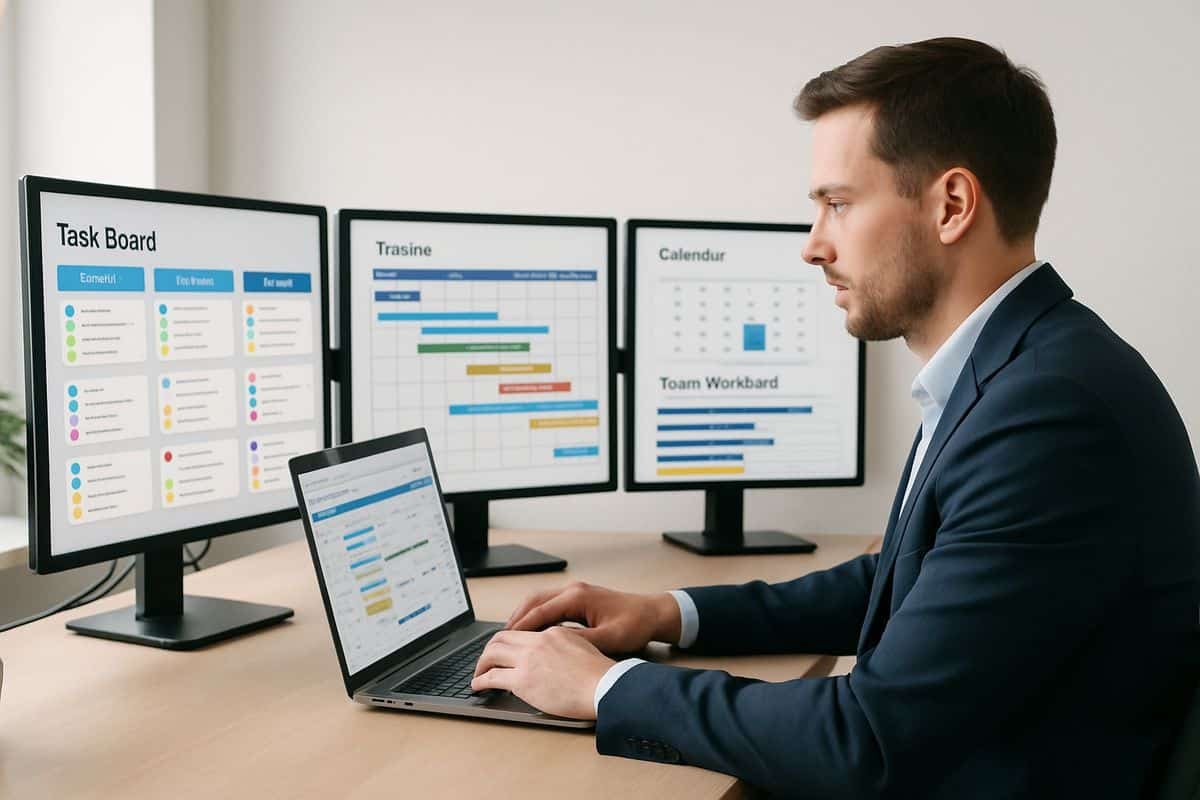
This is where a lot of buying decisions get sharper. Basic project management features are enough if your goal is simply better coordination. But if you want to connect delivery to financial performance, you need more than task tracking.
You need visibility into cost, time, billing and margin.
Budget tracking and cost visibility
A project that looks healthy operationally can still be going financially sideways. That is the problem with systems that only show progress, not cost.
If budgets matter, and they do, your software should let you track project budgets, actual spend, forecasted cost and emerging overruns. Labour cost visibility is especially useful, because headcount is often the biggest project cost and the easiest one to underestimate. If your team logs effort against the wrong jobs or not at all, profitability analysis becomes guesswork.
The value here is not academic. Better cost visibility means earlier intervention. You can catch scope creep sooner. You can question low-margin work before it becomes normal. You can understand whether a delayed project is merely annoying or actively damaging the month.
Time tracking, billing and profitability insights
For service-led businesses, this is often the make-or-break area. If time is part of what you sell, or part of how you understand project cost, then time tracking cannot be an afterthought.
That does not mean forcing everyone into painful timesheets for the sake of it. It means capturing effort in a way that is accurate enough to support billing, pricing and margin analysis. You want to know which work is billable, how much effort a job is actually consuming, whether estimates are realistic and which clients or project types are quietly eroding profit.
Software that combines time capture, billing support and profitability reporting can change the quality of your decisions. Pricing gets better. Forecasting gets less optimistic. Write-offs become more visible. And finance no longer has to reconstruct project economics after the fact.
For finance-led teams especially, it helps to look at how better work tracking supports control without creating more admin. The commercial gains usually come from cleaner habits, not more complicated ones.
Integrations with your accounting and finance stack
No project management platform should operate in a silo. If your team is updating one system and finance is rekeying the same information into another, you are paying twice: once in labour, again in errors.
The most useful integrations depend on your setup, but accounting software, payroll, CRM and reporting tools are common priorities. The goal is not to connect everything because it looks impressive in a demo. The goal is to remove duplication, improve accuracy and give leadership one reliable view across work and money.
This is also where many businesses go wrong by choosing a highly flexible project tool and assuming integrations will sort the rest later. Sometimes they do. Sometimes you end up with a very pretty board feeding absolutely nothing useful into finance.
A simpler platform that is intentionally built to support finance-ops coordination can be a better fit than a sprawling ecosystem that needs six extra tools and a consultant just to answer basic profitability questions. Again, that is where Insightflow’s approach makes sense for many growing companies. It is not trying to be everything. It is trying to make the connection between operations and finance usable.
How to Choose Based on Your Business Stage
The right project management software for a 10-person company is not automatically the right choice for a 100-person one. Complexity changes. Reporting needs change. Governance changes. So should your selection criteria.
If you’re a startup or early-stage business
At this stage, speed and clarity matter more than depth. You need something your team can adopt quickly, configure without drama and use every day without resentment.
Prioritise simple workflow visibility, clear task ownership, easy collaboration and enough reporting to keep leadership informed. Avoid bloated platforms that assume you need multi-layer approval chains, portfolio governance and custom permissions for every conceivable scenario. You probably do not. Not yet.
The biggest mistake early-stage teams make is overbuying. They assume more features equals future-proofing. Usually it equals clutter. A tool that is intuitive, lightweight and easy to maintain is far more useful than one built for an enterprise PMO that your business does not have.
If you’re a growing business managing more people and moving parts
This is where software starts earning its keep.
Growth increases coordination costs. More clients, more projects, more specialists, more dependencies, more approvals. What worked for a small team starts to creak. Reporting becomes slower. Capacity planning gets harder. Finance wants clearer project data. Operations wants less admin. Leadership wants confidence without needing six meetings to get it.
At this stage, focus on automation, reporting, resource planning and integrations. You need a system that can handle cross-team coordination without turning every manager into a spreadsheet mechanic. You also need stronger links between what is being delivered and what is being billed, forecast or resourced.
This is often the sweet spot for a platform like Insightflow. It brings structure without unnecessary heaviness, and it is particularly strong where finance and operations need to work from the same reality. That matters when growth is good for revenue but brutal on visibility.
If process consistency is becoming a pain point, you may also want to look at which automation features are genuinely worth paying for. The right automations remove friction. The wrong ones just create clever-looking chaos.
If you’re running a mature or multi-entity operation
Larger or more mature businesses need stronger governance. Permissions matter more. Audit trails matter more. Portfolio views matter more. Compliance and consistency become part of the buying criteria, not a footnote.
Here you should look for advanced permissions, role-based access, custom workflows, cross-department reporting, portfolio oversight and strong data control. Scalability matters too, but not in the vague vendor sense. It should scale across teams, entities and reporting lines without becoming impossible to manage centrally.
That said, maturity does not automatically mean you need the most elaborate platform on the market. Some businesses buy complexity they never use. The better question is whether the system supports the way your organisation governs work and reports performance. If it does that clearly and reliably, that matters more than how many modules sit on the pricing page.

The Main Types of Project Management Software on the Market
Not all project management software is trying to solve the same problem. That seems obvious, but buyers still compare tools as if they all belong in one bucket. They do not.
Understanding the categories helps you compare like with like.
General task management tools
These are the easiest to adopt and usually the fastest to understand. They focus on tasks, boards, basic timelines, simple assignments and team visibility. For smaller teams with straightforward workflows, they can be more than enough.
The trade-off is depth. Many of these tools are excellent for clarity and coordination, but weaker on budgeting, resource planning, financial visibility and structured reporting. If your business only needs shared task control, that may be fine. If you are trying to connect operational activity to profit, limits appear quickly.
Team collaboration and workflow platforms
These sit somewhere between communication software and process management tools. They are often strong at coordinating cross-functional work, approvals, handoffs and internal workflows. They can be very useful for operational teams that need flexibility across departments.
The catch is that some lean more heavily into collaboration than control. They help teams move work, but may rely on integrations for deeper financial management, capacity planning or project costing. That is not necessarily a deal-breaker, but it does mean you need to think carefully about the wider system around them.
Professional services and project-based business platforms
These are built with agencies, consultancies and service-led businesses in mind. They tend to include time tracking, utilisation, scheduling, billing and profitability reporting alongside project delivery features.
If your business sells time, project outputs or client delivery, this category is often worth close attention. The commercial logic is stronger because the platform reflects how service businesses actually operate. The downside is that some of these tools can feel heavier than general project software, especially for teams that want speed and simplicity.
Enterprise project and portfolio management tools
These platforms are designed for scale, governance and oversight across many workstreams. They often include portfolio planning, programme management, advanced reporting, strategic alignment, permissions and compliance controls.
They are powerful. They are also often more than an SMB needs.
Unless you have complex governance requirements, multi-layer approval structures or genuinely large-scale portfolio management needs, enterprise tools can create more admin than value. They solve real problems, just not always your problems.
How to Compare Vendors Without Getting Distracted by Shiny Features
Software demos are designed to impress you. That is their job. They show polished dashboards, elegant automations and slick interfaces. Sometimes those things matter. Sometimes they are just theatre.
Good buying decisions come from staying anchored in your actual workflows.
Start with your workflows, not the software brochure
Before comparing vendors, map how work moves through your business today. Where do requests come in? Who assigns work? Where do approvals stall? How is capacity managed? When does finance need visibility? Where does reporting currently break down?
This exercise is not glamorous, but it is where clarity comes from. Once you understand your current flow, you can define what the software actually needs to improve. Faster approvals. Better utilisation visibility. Cleaner budget tracking. Fewer manual handovers. More reliable reporting.
Without that grounding, it is very easy to buy based on a polished demo and discover later that the software does not match the way your business runs.
Build a shortlist around must-haves, nice-to-haves and deal-breakers
A sensible shortlist usually comes from three categories.
Must-haves are non-negotiable. Think core integrations, security requirements, reporting needs, user permissions, mobile access or time tracking. Nice-to-haves are features that would improve the experience but are not required to make the tool viable. Deal-breakers are limitations you cannot live with, such as weak accounting links, no audit trail, poor resource planning or a pricing model that becomes absurd as you grow.
This framework keeps comparisons disciplined. Instead of asking “Which demo looked nicest?”, you ask “Which platform meets the needs that actually affect delivery and profit?” Much better question.
Test with real scenarios and real users
Never evaluate project management software using perfect sample data and one enthusiastic internal champion. Test it with live scenarios.
Set up a typical project. Run an approval flow. Build the report your leadership team actually wants. Check how easily finance can extract what it needs. Ask team leads to use it for common tasks. See where friction appears. Pay attention to what feels intuitive and what needs explanation.
Real users will tell you very quickly whether a tool fits the way your business works. Operations might love a flexible board that finance finds impossible to report from. Finance might love control features that delivery teams quietly avoid. Better to find that out before signing a contract.
Budgeting for Project Management Software Without Overspending
The monthly subscription price is usually the least interesting part of the cost.
What matters more is the total cost of getting value from the software, then keeping it useful as your business changes.
What affects the total cost
User pricing is the obvious starting point, but it is only one line item. Implementation time, onboarding, training, integrations, admin effort, support packages, consulting help and future upgrades all affect the real cost. So does the internal time your team spends cleaning data, redesigning workflows and managing the rollout.
This is why low-cost tools can become surprisingly expensive. If a cheap platform saves licence fees but creates hours of manual rework every week, it is not really cheap. If a “flexible” tool needs ongoing admin just to maintain consistency, someone in your business is paying for that complexity.
It is worth reviewing the hidden costs that often appear after the contract is signed, because software budgets tend to look neat right up until reality gets involved.
When paying more is worth it
Paying more makes sense when the additional value is clear and measurable. Better reporting that saves leadership hours each week can justify a higher subscription. Stronger resource planning can pay for itself if it lifts utilisation or prevents over-hiring. Cleaner time tracking can improve billing speed and reduce revenue leakage. Better accounting integration can cut admin and improve forecast accuracy.
In other words, premium features are worth paying for when they solve an expensive problem. They are not worth paying for because they look advanced.
For many SMBs, the smartest move is not buying the most powerful tool. It is buying the tool that removes the highest-friction problems with the least complexity. That is another reason simpler, more focused platforms often deliver a better return than feature-heavy systems that your team only half adopts.
How to estimate ROI in practical terms
You do not need a heroic spreadsheet model to estimate return. Keep it grounded.
Calculate time saved in project admin, status reporting and chasing updates. Estimate the value of faster invoicing if delivery information becomes easier to capture. Look at potential gains from improved utilisation, lower write-offs and earlier identification of budget overruns. Consider what fewer missed deadlines or fewer duplicated tasks would mean financially.
The numbers do not need to be perfect to be useful. They need to be honest enough to compare the software cost against the operational waste it could remove.
A simple example: if a 20-person team saves just 30 minutes each per week through better coordination, that is 10 hours back every week. Add faster reporting, cleaner billing and fewer project overruns, and the economic case usually gets clearer quite quickly.
Common Mistakes to Avoid When Choosing Project Management Software
Most bad software decisions are not caused by bad tools. They are caused by rushed buying, vague criteria and unrealistic expectations.
Buying for today and ignoring where your business is headed
A system that fits perfectly today can become a constraint very quickly if your team, service model or reporting needs are about to change.
If you know the business is growing, adding departments, increasing client volume or tightening governance, buy with that direction in mind. Not by overbuying wildly, but by choosing a platform with enough headroom to support where you are heading. Migration is always more painful than people assume, especially once historical data, habits and reporting structures are embedded.
Letting one department choose in isolation
This is one of the most common mistakes. Operations picks the tool because they will use it most. Or finance pushes for a system based on reporting needs. Or leadership falls in love with the demo. None of those approaches is enough on its own.
Project management software affects delivery, finance, reporting, coordination and management routines. If one department chooses in isolation, the business often ends up with software that works beautifully for one team and badly for everyone else.
The better approach is shared evaluation. Operations, finance, delivery leads and decision-makers should all have input into the criteria and testing. That does not slow the process down. It prevents expensive regret.
Underestimating adoption and change management
Even excellent software fails if the team does not use it properly.
Adoption depends on clarity, training, sensible workflow design and visible leadership buy-in. If the new platform feels like extra admin with no personal benefit, usage will collapse. If workflows are over-engineered at launch, people will create side systems. If managers keep asking for updates in email instead of using the software, the message is clear: the platform is optional.
Good implementation is partly technical, but mostly behavioural. Keep the setup simple. Make ownership clear. Train people on how the software supports their work, not just where to click. Then reinforce usage through routine.
Questions You Should Ask Before You Sign Anything
Vendors are usually very good at answering the questions they hope you ask. Your job is to ask the ones that reveal how the software will perform in the real world.
Questions about implementation and support
Ask how long implementation typically takes for a business like yours. Ask what onboarding actually includes. Ask whether data migration support is hands-on or self-service with a cheerful help article. Ask what happens in the first 30 days if adoption stalls. Ask who owns the account after sale, and what response times look like when something important breaks.
Support quality matters more than buyers think, especially when your team is changing habits as well as systems. Reassuring sales calls are nice. Useful support when deadlines are live is better.
Questions about reporting, integrations and scalability
Ask to see the reports you will actually need, not just the ones in the demo account. Ask how custom dashboards work. Ask what accounting integrations are native and what requires middleware. Ask what the API can support if your needs evolve. Ask how permissions scale as departments or entities multiply. Ask whether the structure will still fit your business two years from now without a complete redesign.
These questions separate flexible software from software that merely looks flexible.
Questions about pricing and contract flexibility
Ask about minimum users, annual commitments, onboarding fees, support tiers, implementation charges, data limits and upgrade triggers. Ask what happens if your team size changes. Ask how pricing shifts when you need more reporting, more storage or more automation. Ask whether you can reduce licences if your requirements change.
Hidden fees are rarely hidden if you ask directly enough.
Best Project Management Software by Use Case
There is no single “best” project management software for every business. There is only the best fit for the kind of control, visibility and financial connection you actually need.
Best for simple team coordination
If your main goal is clear ownership, fewer missed tasks and better day-to-day visibility across a smaller team, prioritise ease of use above all else. You want fast setup, intuitive task management, straightforward collaboration and just enough reporting to keep everyone aligned.
In this use case, the danger is overcomplication. Heavy planning features, advanced permissions and deep financial modules can slow adoption more than they help. If the software makes simple coordination feel bureaucratic, it is the wrong fit.
Best for fast-growing businesses that need structure
For growing businesses, the sweet spot is usually software that adds control without adding drag. Look for automation, stronger reporting, better resource planning, cross-team visibility and enough integration capability to stop data from living in silos.
This is where structure starts creating breathing room. You can scale delivery without scaling confusion at the same pace. You can add people and projects without every update depending on one heroic manager. And you can give leadership a clearer picture of progress without turning the reporting cycle into a weekly production.
Best for service-based firms that need stronger financial visibility
If your business depends on project delivery, billable work or team utilisation, then software should support time capture, job costing, billing workflows and profitability reporting. These are not “nice extras” for service firms. They shape pricing, margin and operational decisions.
The right fit here helps you understand not just whether work is getting done, but whether it is getting done profitably. That distinction matters a lot.
Best for businesses that need tighter accounting integration
If your biggest problem is the gap between operations and finance, prioritise software that reduces duplication and keeps activity, cost and billing closer together. Good accounting integration, clear project data, reliable reporting and practical coordination features matter more than an endless feature list.
This is exactly the kind of scenario where a focused platform like Insightflow can make more sense than a sprawling project suite. If your priority is tighter coordination between finance and operations, simplicity becomes a real advantage. You get visibility, task tracking, pipeline context and activity history in one place without the overhead of a full CRM and an overbuilt PM stack fighting each other.
What a Good Implementation Looks Like in the First 90 Days
The first 90 days decide whether your new software becomes a useful operating system or an expensive icon on the sidebar.
Perfection is not the goal at this stage. Momentum is.
The first wins you should aim for
Your earliest wins should be practical and visible. Clearer ownership. Fewer status-chasing meetings. Better project visibility. Faster weekly reporting. More reliable handoffs. A simpler view of who is doing what and where work is getting stuck.
These are the signals that the software is becoming part of how the business runs. They also build confidence. Teams are much more likely to adopt a new system when they can feel the friction coming out of their week.
How to keep your team engaged after rollout
Keep workflows simple at launch. Train teams around real work, not abstract features. Make sure managers use the platform consistently and stop rewarding side-channel updates. Review usage regularly, not to police people, but to spot where the process is unclear or the setup needs adjusting.
Internal champions help as well. So does leadership discipline. If leaders use the platform in meetings, ask questions from live dashboards and rely on the same source of truth as everyone else, adoption strengthens naturally.
A good implementation also leaves room to refine. You do not need every automation, report and workflow built in week one. Start with the processes that create the most value, then improve from there.
A quick proof point readers will relate to
The most convincing proof points are usually the simplest ones.
Once everything sat in one place, the team stopped chasing updates and started making decisions faster.
That is what good project management software should feel like. Not louder. Not more complex. Just calmer, clearer and far more connected to the way your business actually performs. If your next platform can give you that, while bringing operations and finance closer together rather than pushing them further apart, you will not just be buying software. You will be buying back time, control and headspace.